
Halloween Sale Special Limited Time 75% Discount Offer - Ends in 0d 00h 00m 00s - Coupon code = drift75
Pass the Autodesk Certified Professional RVT_ELEC_01101 Questions and answers with ExamsMirror
Exam RVT_ELEC_01101 Premium Access
View all detail and faqs for the RVT_ELEC_01101 exam
610 Students Passed
85% Average Score
98% Same Questions
Refer to exhibit.
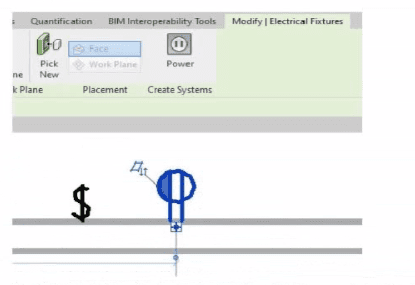
An electrical designer is circuiting a dwelling unit. The receptacle (electrical fixture) shown must be controlled by the switch (lighting device) shown to switch a plug-in lamp When the receptacle is selected, Revit does not provide an option to add the receptacle to a switch system.
What is causing this issue?
An electrical designer is creating an electrical fixture family for a receptacle. The designer nests a generic annotation family that contains the receptacle symbol and a label What must be done in the electrical fixture family so that the label value can be changed in a project?
An electrical designer is trying to adjust the scale of a view. All icons on the View Control Bar are dimmed (not enabled). How should the designer make the view scale editable only for this view?
Refer to exhibit.
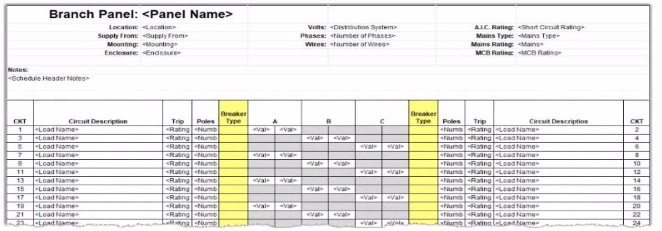
An electrical designer wants to report Breaker Type for each breaker in a panel schedule. The designer adds a column to the schedule as shown (and highlighted) in the image.
Which type of parameter should the designer create to add to the column?
Refer to exhibits.
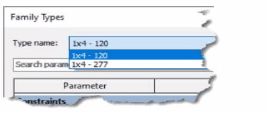
(The image Is presented in Imperial units: 1 In = 25 mm (Metric units rounded].)
An electrical designer creates a lighting fixture family with the following types and then saves the family.
Refer to exhibit.
A portion of an electrical fixture family's Type Properties is shown in the exhibit.
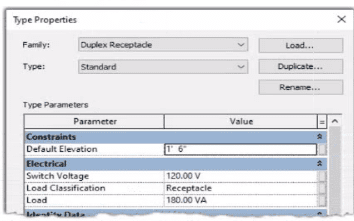
Because of the value of the Type Parameter Load Classification, an electrical designer expects the fixture's Load Classification to display as -Receptacle" when circuited. Instead, it displays as "Other".
What should the designer do to make the circuited fixture's Load Classification always match the family's Type Parameter?
Refer to exhibit.
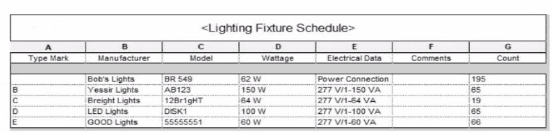
Which two actions were used to create this light fixture schedule? (Select two.)
Refer to exhibit.
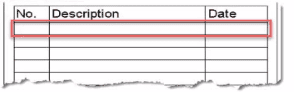
An electrical designer is issuing several sheets and wants 'Issued for Bid" to appear in the revision schedule of the title block. Drag and drop into the correct order to indicate how this can be accomplished to only the sheets that are being issued.
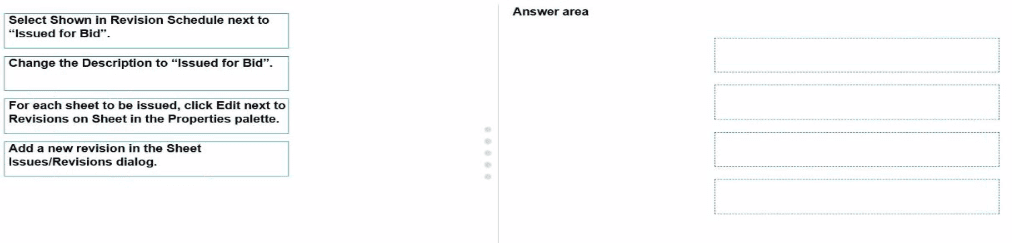
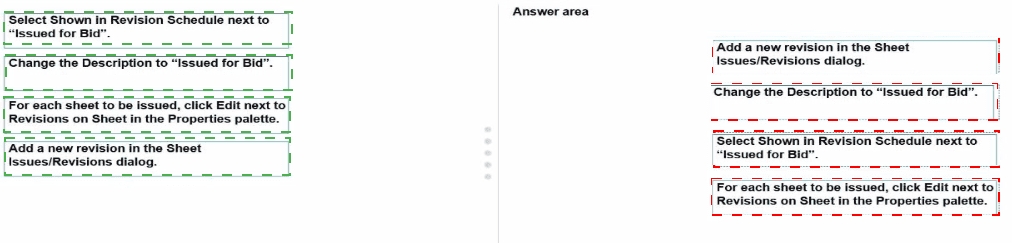
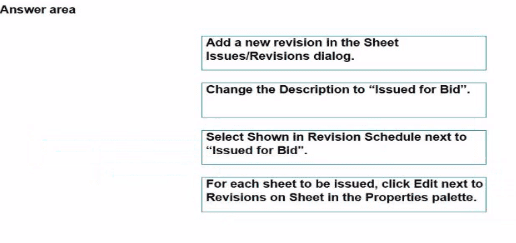
Exhibit.
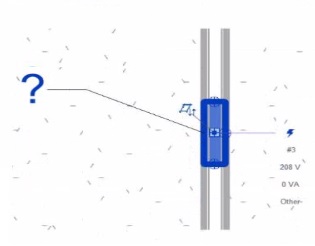
An electrical designer creates a panel schedule. Which Electrical Equipment parameter defines the default name of the panel schedule view?
Refer to exhibit.
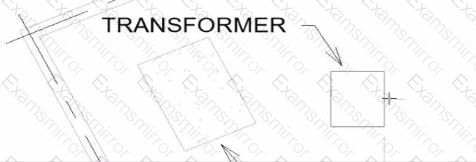
An electrical designer wants to place electrical equipment on the pad.
How should the component be aligned to the pad before placement?

TOP CODES
Top selling exam codes in the certification world, popular, in demand and updated to help you pass on the first try.