
Halloween Sale Special Limited Time 75% Discount Offer - Ends in 0d 00h 00m 00s - Coupon code = drift75
Pass the Autodesk Certified Professional ACP-01101 Questions and answers with ExamsMirror
Exam ACP-01101 Premium Access
View all detail and faqs for the ACP-01101 exam
663 Students Passed
87% Average Score
93% Same Questions
Refer to exhibit.
Exhibit 1:
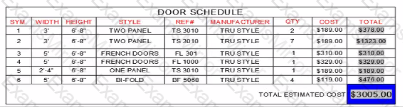
Exhibit 2:
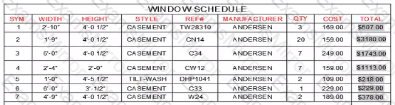
A CAD designer must apply the visual formatting of the total tell (with a blue background) from the DOOR SCHEDULE table to all schedules in the current drawing
What method should the CAD designer use to ensure consistent formatting of the total cells for both schedules and schedules coated later in the project's lifecycle?
You are setting up a drawing layout.
You need to rotate the viewport viewing angle by 90 degrees without rotating the viewport.
What should you do next?
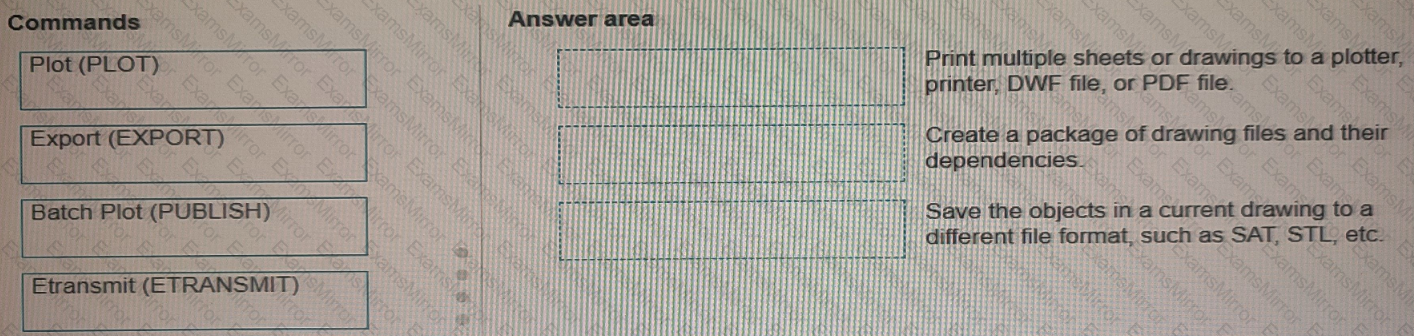
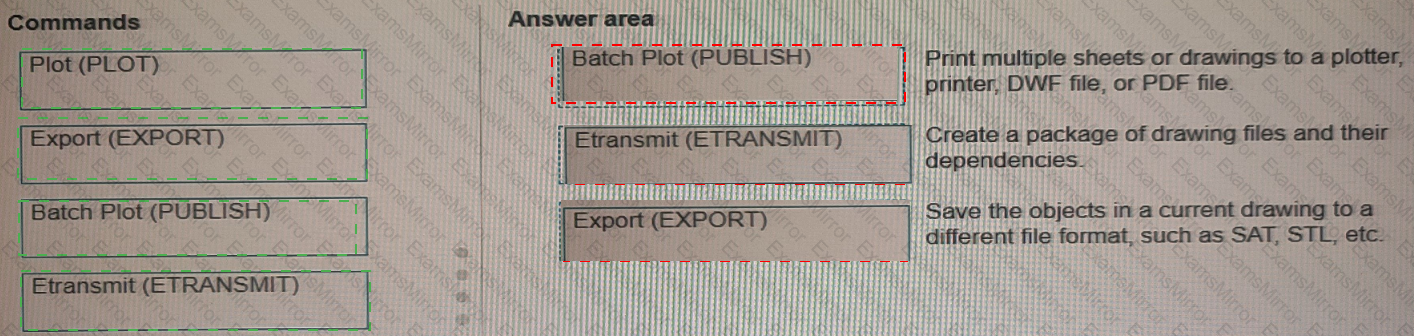
Move three applicable commands from the list on the left to the corresponding function on the right. Commands may be used once or not at all (Select 3)
In the Layer Properties Manager, which column should you use to prevent a layer from being displayed in the active viewport only?
(Note: This exam question rotors to the Shoot Sot Manager functionality in the Windows version and the Project Manager functionality in the Mac The Mac version appears in the parentheses.)
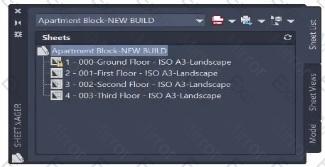
A CAD designer is working with a sheet set (project) The existing sheets (layouts) required are shown in the sheet set (project) in the exhibit.
The designer needs to add a new sheet (layout) from a different protect location, keeping the new sheet (layout) settings.
Which workflow should they use to add the new sheet (layout) to the existing shoot sot (project)?
A CAD designer receives a drawing file from an external consultant that contains a large number of Registered Applications Which method should the CAD designer use to remove excess Registered Applications from the drawing?
A CAD designer adds the Annotation Scale tool to the status bar During their work, the designer notices that it Is no longer visible
What is causing, this issued?
Refer to exhibit.
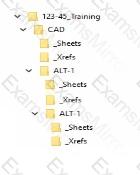
An alternate design option toider (ALT-1) is created with a copy of the original files.
The sheets for the alternate design should reference the drawings in the Al T-1 _Xrefs folder
To make sure that the host drawings in the ALT-1 drawings display the correct reference files without errors, which of the following settings should do applied to the xrefs?
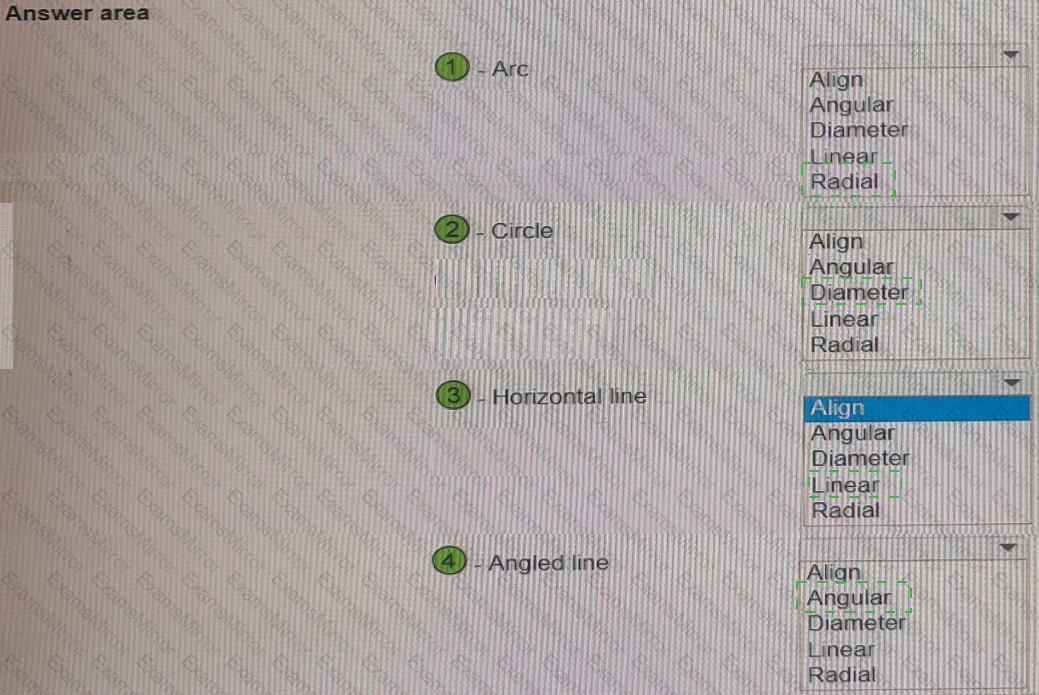
You have the drawing shown in the exhibit.
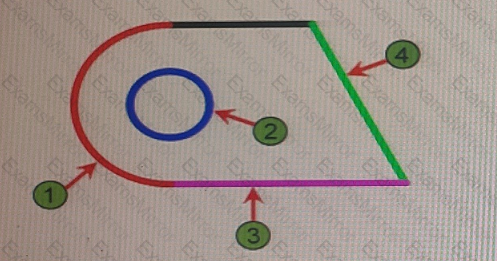
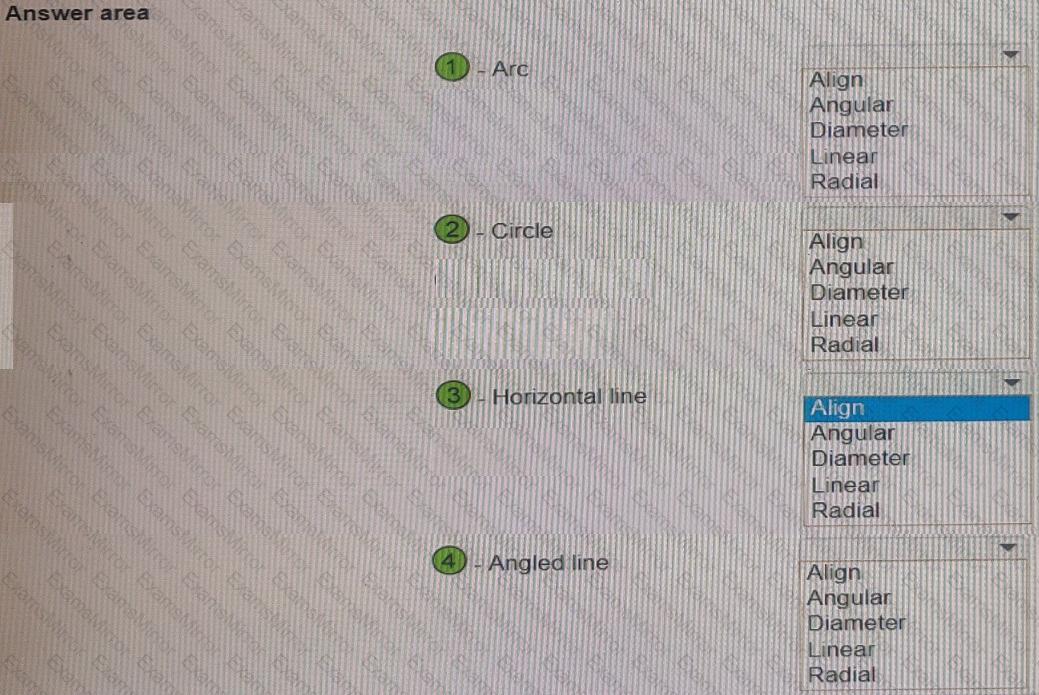
You are using the DIM command to preview suitable dimension type objects in the drawing.
Which dimension type will appear when you hover over each object? Select the appropriate dimension type from each of the drop-down lists.
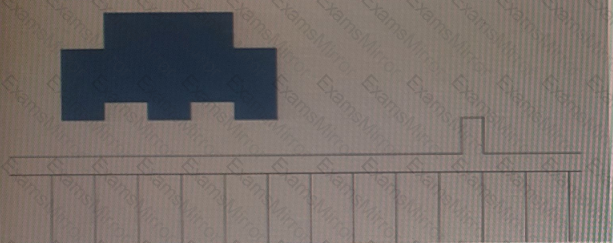
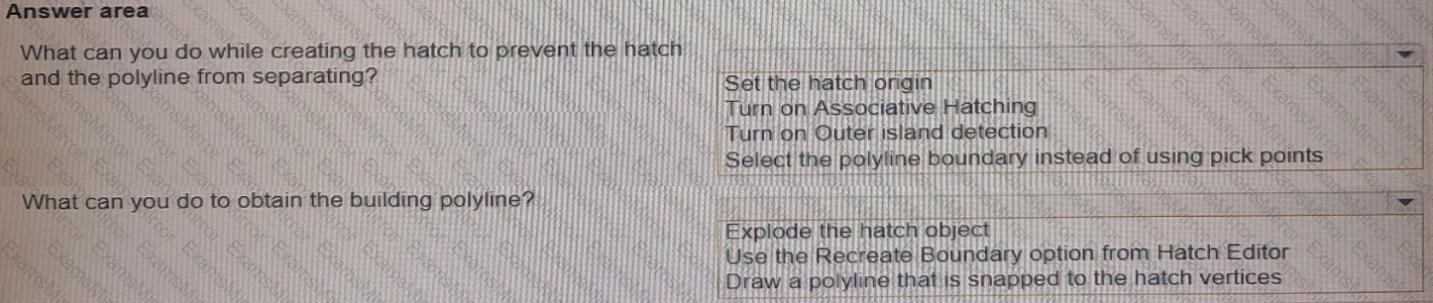
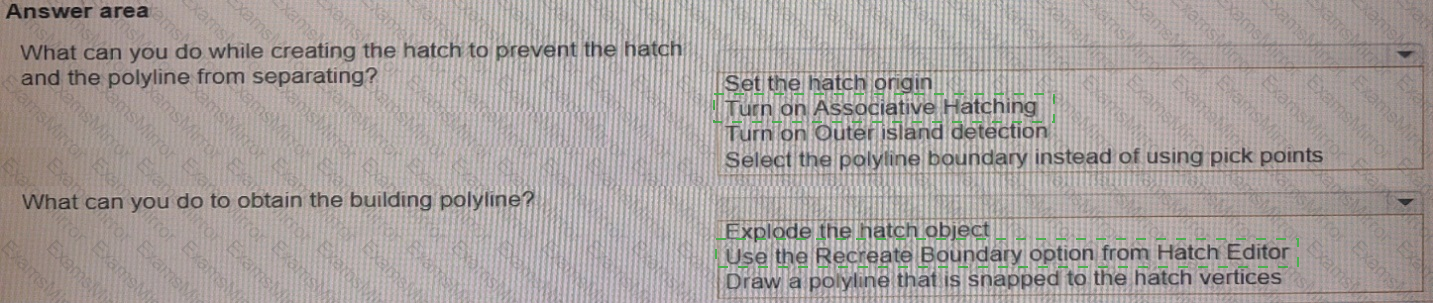
A site plan was recently modified to relocate a building to a new location While relocating the building, only the hatch location of the building was moved by mistake as shown in the exhibit.
Evaluate the graphic and answer each question by selecting the correct options from the drop-down lists.

TOP CODES
Top selling exam codes in the certification world, popular, in demand and updated to help you pass on the first try.