
Halloween Sale Special Limited Time 75% Discount Offer - Ends in 0d 00h 00m 00s - Coupon code = drift75
Pass the Autodesk Certified Professional ACP-01101 Questions and answers with ExamsMirror
Exam ACP-01101 Premium Access
View all detail and faqs for the ACP-01101 exam
663 Students Passed
87% Average Score
93% Same Questions
Exhibit.
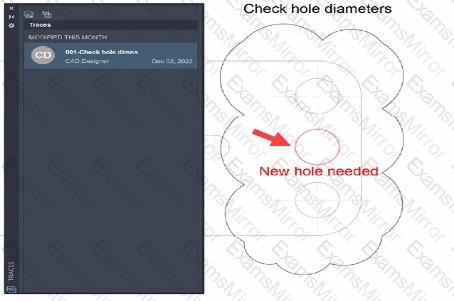
A CAD designer receives a drawing with an existing trace and update it by adding the new hole as indicated by the arrow in the exhibit.
What displays in the Traces palette after the CAD designer adds their information to the existing trace?
Refer to the exhibit.
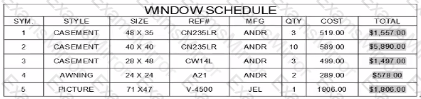
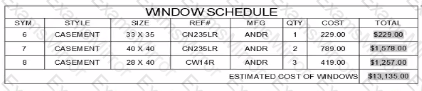
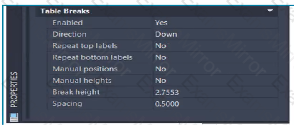
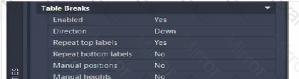
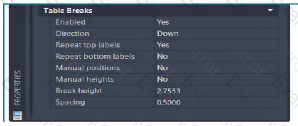
A CAD designer modified an existing window schedule table into two sections by using table breaks.
Which combination of properties were used to modify the table to display as shown in the exhibit.
A)
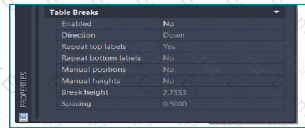
B)
C)
D)
Refer to exhibit.
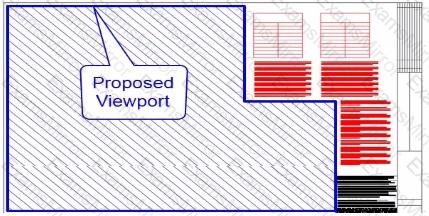
The sheet layout shown includes tables arid notes on the tight side of the page.
Which option of the MVIEW command will create a viewport in the shape of the blue-hatched area?
Exhibit.
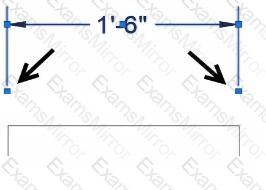
A CAD designer wants to stretch both extension lines of a linear dimension at equal distance using grips.
Alter selecting, the dimension, which workflow should the designer use? Note: Mac commands shown in parentheses. I
Exhibit.
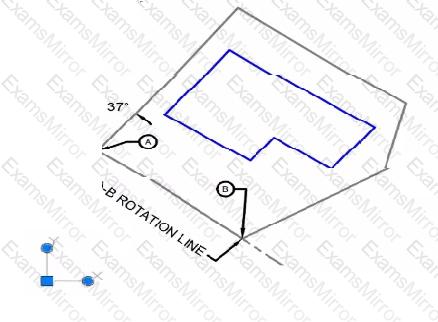
A building needs to be drawn parallel with the A-B ROTATION LINE as show.
Which of those workflows should the CAU designer use lo align the UCS icon before drawing the sbuilding?
Refer to the exhibit.
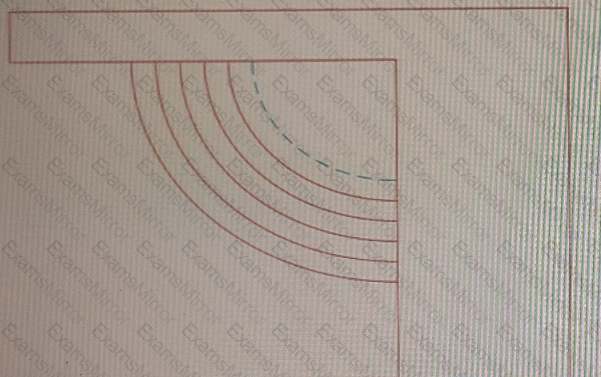
The exhibit shows a set of ornamental garden stairs going up to a walkway as part of a landscaping design.
You need to make sure that the edge of the top step in shown in a different linetype, as shown by the dashed line in the exhibit.
Which prompt in the OFFSET command should you use?
Refer to exhibit.
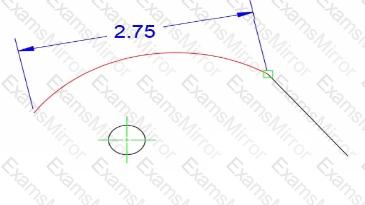
Exhibit.
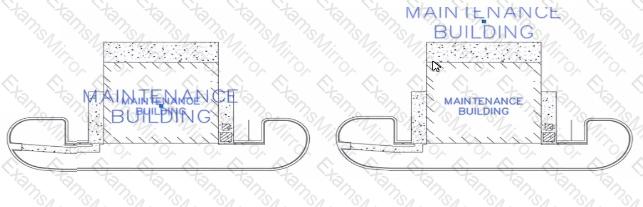
The building label shown is a single piece of annotative text with two annotative scales assigned to it (1: 50 and 1100)
The current drawing scale is set to 1:50.
The 1:100 scale label must be moved outside the building and the 1:50 scale label must remain inside the building, as shown on the right in the exhibit
How should the label location be modified?
Drawings from different sources have been combined and resulted in duplicate background elements that are slightly offset from each other Some of the layer names match and other layers have an E prefix, indicating that they are existing.
To clean up the drawing, the Overkill (OVERKILL) command is used.
Which two settings will resolve the duplicate background and offsetting issues? (Select 2)

TOP CODES
Top selling exam codes in the certification world, popular, in demand and updated to help you pass on the first try.