
Pre-Winter Sale Limited Time 70% Discount Offer - Ends in 0d 00h 00m 00s - Coupon code = getmirror

Pass the Apple Certified Support Professional Apple-Device-Support Questions and answers with ExamsMirror

Practice at least 50% of the questions to maximize your chances of passing.
Exam Apple-Device-Support Premium Access

View all detail and faqs for the Apple-Device-Support exam


796 Students Passed

84% Average Score

94% Same Questions
Viewing page 9 out of 9 pages
Viewing questions 81-90 out of questions
Questions # 81:

Where do you go to tell if an iPad has an MGM solution installed?

Options:

A.

Privacy & Security > Device Management

B.

General > Profiles & Device Management

C.

Privacy & Security > Analytics & Improvements

D.

General > VPN & Device Management

Questions # 82:

Use this image to answer the question.
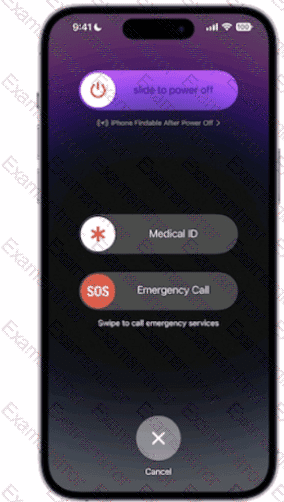
Question # 82

How do you get to this screen on iPhone?

Options:

A.

Press and hold the side button and one of the volume buttons until the Emergency SOS slider appears.

B.

Press the side button then one of the volume buttons. The Emergency Call slider appears.

C.

Rapidly press the volume up button five times. The Emergency Call slider appears.

D.

Press and hold the side button, then drag the Emergency Call slider to call emergency services.

Questions # 83:

Which wireless feature allows you to use your iPhone to provide wireless internet access to your Mac without a password?

Options:

A.

Preferred Networks

B.

Auto Locations

C.

Instant Hotspot

D.

Carrier Services

Questions # 84:

Files App, what storage format does it support?

Options:

A.

EX-FAT

B.

NTFS

C.

MS-DOS (FAT)

D.

Mac OS Extended

E.

APFS

Questions # 85:

Match the user types on the left to the descriptions on the right by dragging the responses to the correct target areas. Responses may be used once, more than once, or not at all.
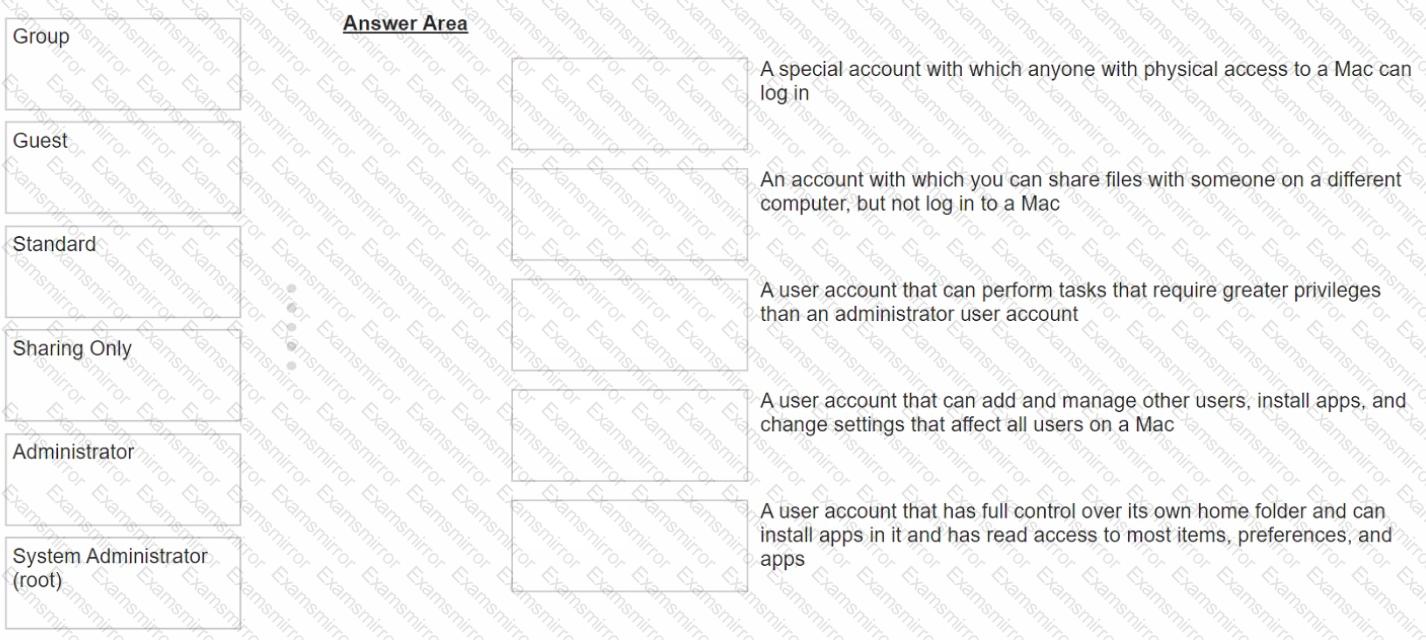
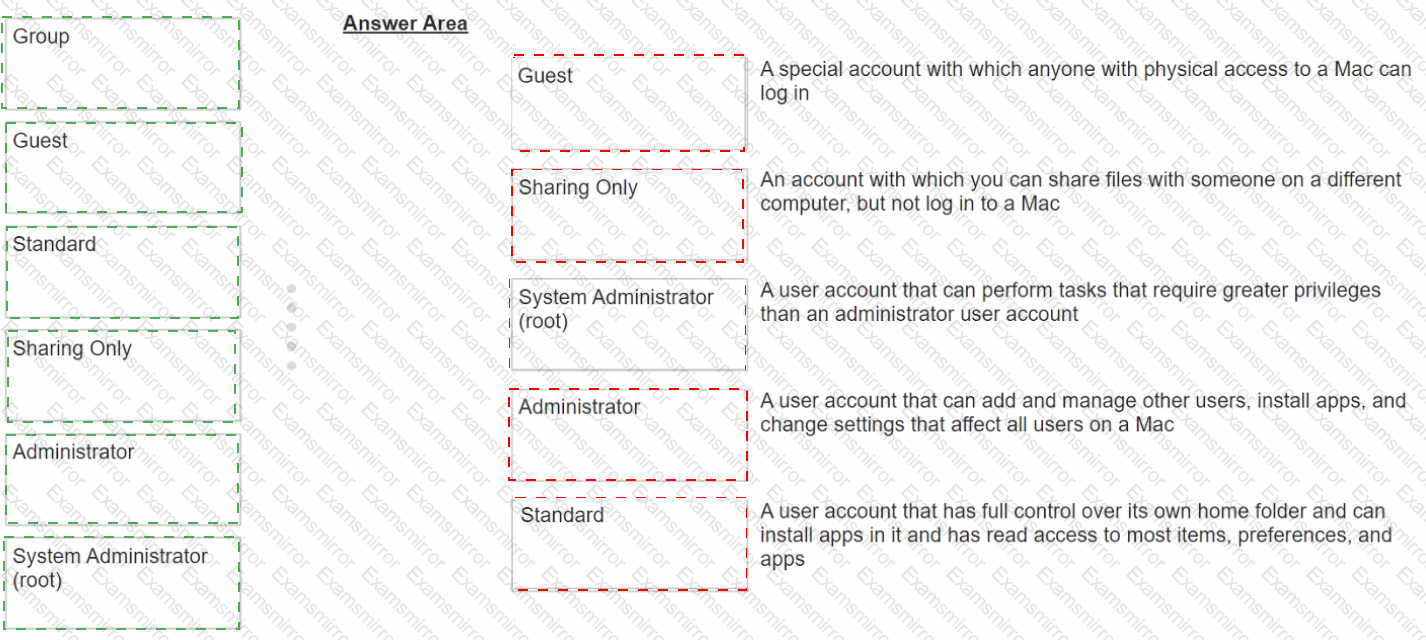
Question # 85

Options:

Questions # 86:

Select two responses.

Which two ways can you use to reset a FileVault password on a Mac?

Options:

A.

Authenticator app

B.

Using a trusted device

C.

Recovery key

D.

SMS verification code

E.

iCIoud account and password

Questions # 87:

You ' re experiencing odd behavior with a Custom App on your iPad.

How should you gather information about the app issue?

Options:

A.

Turn on debug logging.

B.

Open Apple Configurator for iPhone and run diagnostics.

C.

Turn on advanced analytics.

D.

Gather a sysdiagnose.

Questions # 88:

Where do you delete users in System Settings?

Options:

A.

Navigate to System Settings — ► Users & Groups.

B.

Click the (i) button next to the user you would like to delete on Mac.

C.

Select Delete Account.

Questions # 89:

What MUST you do before you reach the macOS Recovery options when your Mac with Apple silicon has FileVault or Activation Lock turned on?

Options:

A.

Access the Startup Security Utility and enter the administrator ' s six-digit passcode to unlock the system.

B.

Enter the FileVault recovery key, then select an administrator user account.

C.

Log in using the administrator ' s Apple ID and two-factor authentication.

D.

Select one of the displayed administrator accounts, then provide the account ' s password.

Questions # 90:

What happens when you restore a Mac with Apple silicon with Apple Configurator?

Options:

A.

It updates the firmware and recoveryOS, and erases and installs macOS.

B.

It restores the system state from before a corrupted battery drain.

C.

It recovers data from a Time Machine snapshot on the internal storage.

D.

It forces the Mac to perform any pending software updates.

Viewing page 9 out of 9 pages
Viewing questions 81-90 out of questions
TOP CODES

TOP CODES

Top selling exam codes in the certification world, popular, in demand and updated to help you pass on the first try.